Make an Instagram Reel from your photos
A few photos in, a branded 9:16 Reel out. Also sized for your feed and Stories.
Your first reel is free, with no watermark and no card.
Before and after
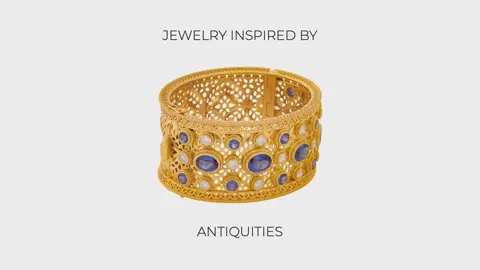
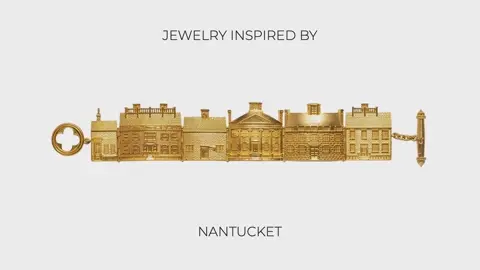
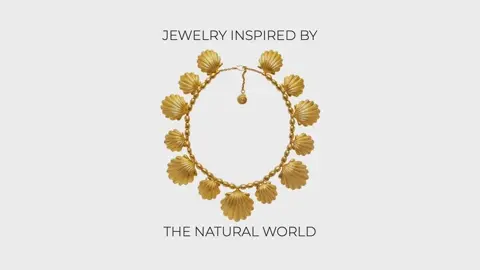
Example: Katherine Grover Fine Jewelry, Gift Guide (8 sec reel)
How it works
- 1Add your photos
- 2Add your words and brand
- 3Download every size
Why it sells
Instagram shows Reels to people who don't follow you yet. That makes a Reel one of the cheapest ways for a small brand to be seen by new customers.
The hard part is making them often enough. With Gravity Pants, a Reel takes a few minutes, so you can post one every week from photos you already have.
Sizes for Instagram
- Reels and Stories: Vertical 9:16
- Feed post: Portrait 4:5 or Square 1:1
- Ads: all of the above, from the same edit
- Tip: keep your headline away from the very bottom of a 9:16 Reel, where Instagram puts captions and buttons.
Questions
How long should a Reel be?
For a product, 6 to 15 seconds is usually best. You set how long each photo stays on screen.
Can I add music?
Add music in Instagram when you post, so you can use its licensed tracks.
Can I post the same video to TikTok?
Yes. The 9:16 version works for Reels, Stories, TikTok and YouTube Shorts.
Is it free?
Your first reel is free, with no watermark.